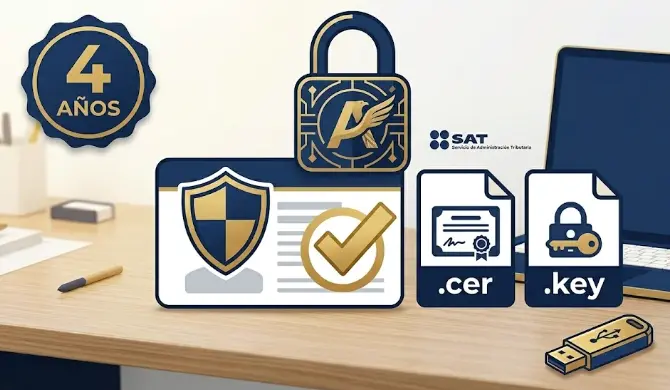
The e.firma is valid for 4 years from the date of issue. If it has expired, you cannot renew it online — you need an in-person appointment at SAT. Check your expiry date today.
What is the e.firma SAT?
The e.firma (formerly known as FIEL — Advanced Electronic Signature) is the digital certificate that SAT issues to each taxpayer to securely identify you in electronic procedures. It has the same legal value as your handwritten signature on paper.
Technically it consists of two files:
- .cer file — the public key certificate (can be shared)
- .key file — the private key (confidential, never share it)
Both files are protected by a private key password you define yourself. If you lose the files or password, you must apply for a new e.firma from scratch with an in-person appointment.
What is the e.firma used for?
| Procedure | Requires e.firma? |
|---|---|
| Annual declaration with high balance due or in your favor | ✅ Yes |
| Tax refund request (FED form) | ✅ Yes (amounts over $10,000 MXN for individuals) |
| Responding to SAT requirements (tax mailbox) | ✅ Yes for formal procedures |
| Company incorporation (Persona Moral) | ✅ Yes |
| IMSS employer procedures | ✅ Yes |
| Informational declarations (DIOT, etc.) | ✅ Yes |
| Simple annual declaration (low amounts) | ❌ Not always required |
How to get the e.firma for the first time
The first time, the process is 100% in-person at a SAT office. It cannot be done online.
Required documents
- Valid official ID (INE, passport or professional ID)
- Recent proof of address (no older than 3 months)
- CURP (Mexican population registry number)
- Active email address
- USB drive (SAT will copy the .cer and .key files to it)
Step-by-step process
- Download the SAT ID app (iOS/Android) to pre-register and generate your request file (.req).
- Book an appointment at sat.gob.mx → "Citas" for the procedure "e.firma — Primera vez".
- Attend your appointment with documents. SAT verifies your identity biometrically (fingerprints + photo).
- SAT generates your digital certificate and saves the files to your USB drive.
- Store your .cer and .key files securely in at least two places. Note your private key password somewhere safe.
How to renew the e.firma before it expires
If your e.firma is still valid, you can renew it completely online without an in-person appointment:
- Go to sat.gob.mx → "Trámites y servicios" → "Firma electrónica" → "Renovación de e.firma".
- Authenticate with your current e.firma (.cer + .key + password).
- Create a new private key password.
- Download the new .cer and .key files.
- New certificate is valid for 4 years from renewal date.
Once expired, you cannot renew online. You must go through the full in-person process again, which can take weeks. Many taxpayers miss annual declaration and tax refund deadlines because of this. Check your expiry date now.
What to do if your e.firma has already expired
If your e.firma has already expired, use the SAT ID mobile app:
- Download SAT ID (App Store or Google Play).
- Enter your RFC and complete facial recognition verification with a photo of your ID.
- Set a new private key password and download the new .cer and .key files.
If SAT ID fails or is unavailable, book an in-person appointment at any SAT office with the same documents as the first-time procedure.
How much does the e.firma cost?
Obtaining and renewing the e.firma is completely free at SAT. There is no official fee. If someone charges you for the procedure itself, they are an unofficial intermediary. See our accounting services and available plans if you need professional guidance.
Frequently asked questions
Can I have more than one e.firma?
No. Each RFC has one active e.firma at a time. When you renew, the previous certificate is automatically revoked.
Does my personal e.firma work for my company?
No. Legal entities (companies) have their own corporate e.firma linked to the company's RFC. The legal representative needs their personal e.firma to manage the company's. If you are planning to open a company in Mexico, the e.firma is one of the first steps to have ready.
What if I forget my e.firma password?
If you forgot the password and still have the .cer and .key files, there is no recovery — the password is not stored on any server. You must apply for a new e.firma from scratch (in-person or via SAT ID).
Problems with your e.firma or not sure if it is still valid?
Our accountants check the status of your e.firma, guide you through the renewal and assist with all SAT procedures that require it. Service in Spanish, English and Russian.
Free consultation →